Game Boy QR-Paint
100% of donations go to support the itch.io platform. (details)
Overview
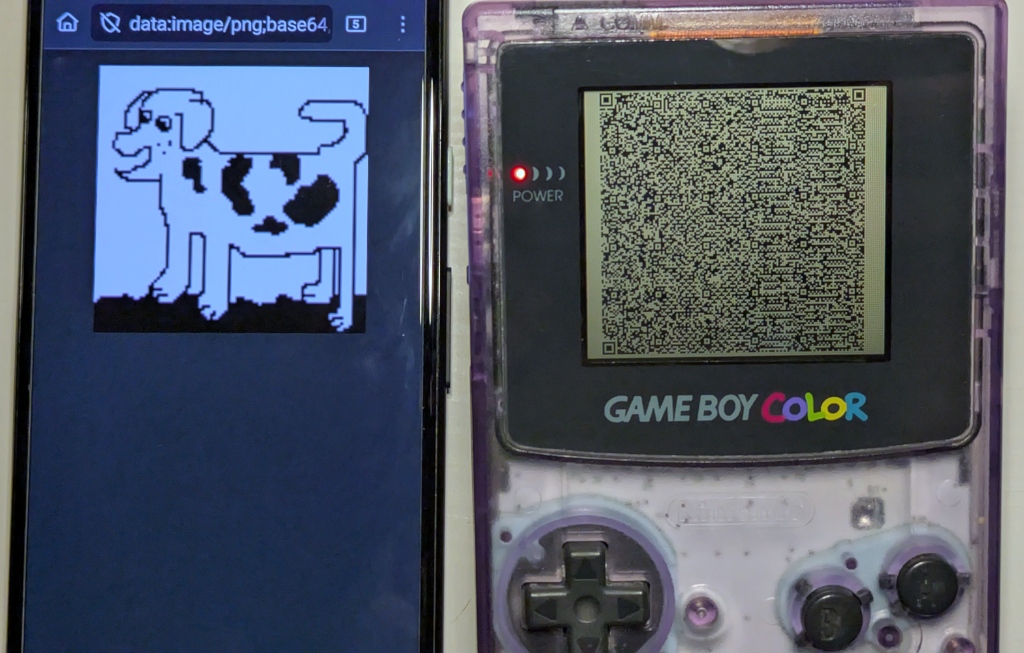
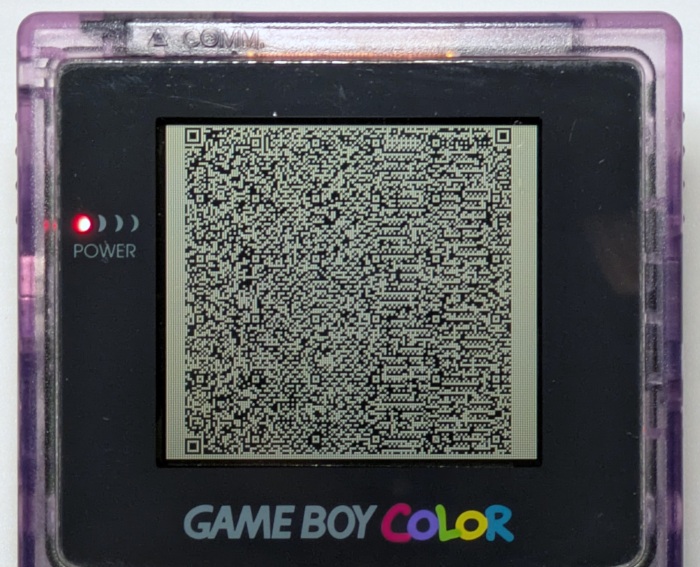
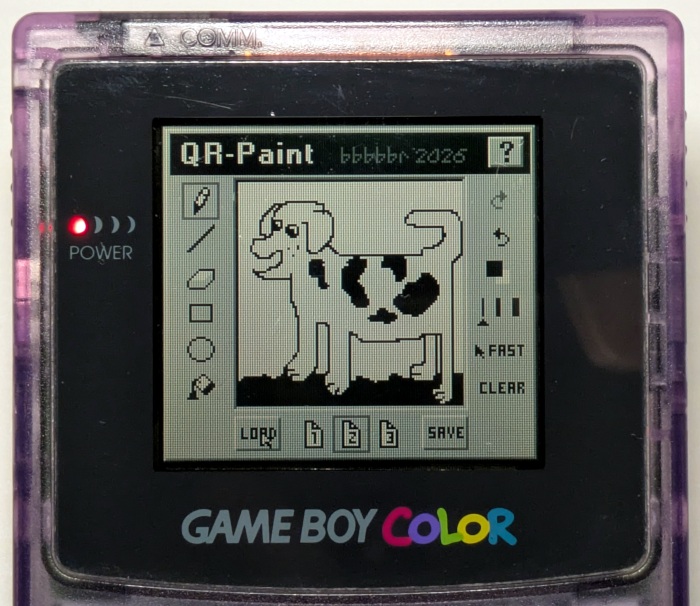
Draw on the Game Boy and share it direct to your phone using a QRCode! (without the internet!)
Features
- Share drawings as PNG images via QR Code
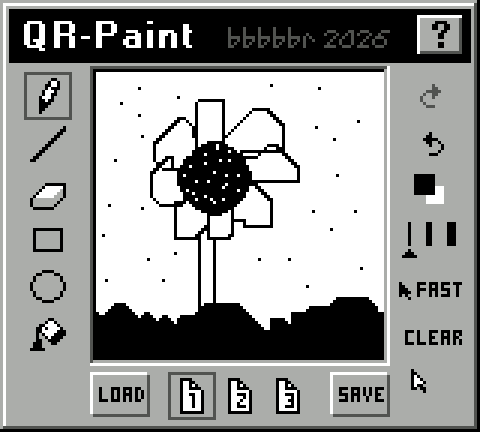
- Drawing tools: Pencil, Line, Eraser, Rectangle, Circle, Flood Fill
- Undo, Redo stack
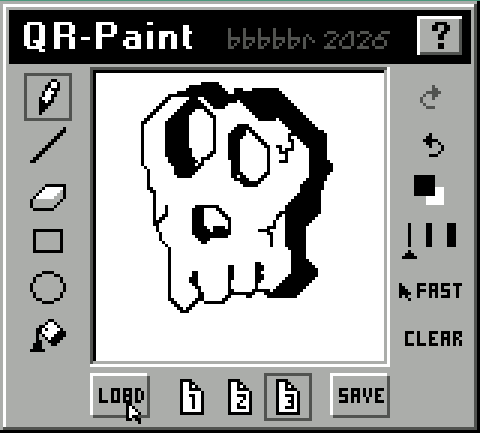
- 3 Drawing Save slots
- Adjustable Draw Width
- Adjustable Draw speed (Fast, Medium, Slow, Pixel Step)
- 2 Draw colors (Black and White)
- SNES Mouse support through Super Game Boy (SGB)
- Game Boy Printer support
- Mega Duck Printer support
Usage
Button Controls:
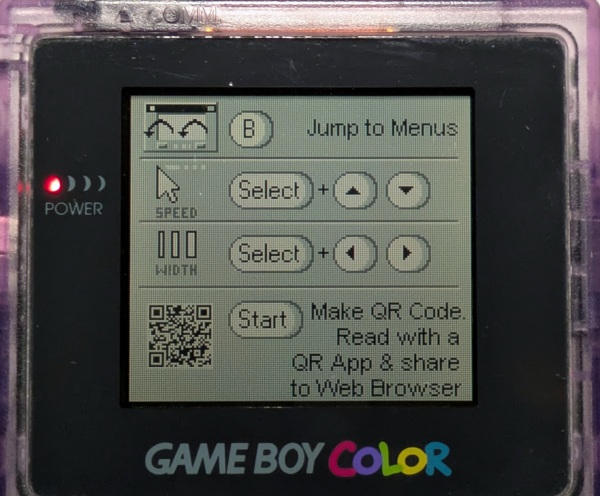
D-Pad: Move cursor (Arrow keys)A: Draws with tool (Z key)B:- Short Press: Cancel tool action / Teleport cursor between menu and draw areas
- Hold Down: Move faster in draw area
- Short Press: Cancel tool action / Teleport cursor between menu and draw areas
SELECT + UP/DOWN: Adjust Cursor Speed (Select + Up / Down Arrow keys)SELECT + LEFT/RIGHT: Adjust Drawing Width (Select + Left / Right Arrow keys)START: Create QRCode (Enter Key)
The cursor movement has a small amount of inertia while in the drawing areas. It will apply as long as some button is being held down, and resets to zero when all buttons are released. This helps with drawing curves using a D-Pad, which otherwise tends toward right angles and diagonals.
Sending to Mobile Phone
Scanners
Known working QRCode scanners:
- Android Binary Eye
- Android Camera (in scan mode)
- Web: https://scanqr.org
Known not working scanners:
- "Camera" app on some Samsung phones
- Default "Camera" app on iOS
Browsers
Known working Browsers: (via "share-to" or pasting in the url, not via the browser's own scanner)
- Firefox/Fennec Web Browser (Android mobile, Linux desktop)
- Chromium (Linux desktop)
Known not working Browsers:
- Chromium/Chrome (Android)
SGB + SNES Mouse
Super Nintendo Mouse support through the SGB is based on a modified version of vinheim3's demo. Thanks for sharing your cool idea and how do it!
- The OEM SNES mouse works well at the qr-paint "medium" speed.
- The Hyperkin SNES mouse works better at qr-paint "slow" setting.
For emulators, it's verified as working in Mesen. The SNES mouse should be second controller, it may be a little fast.
Mega Duck
QR-Paint can only be used on the Mega Duck when Cart SRAM is available. This is possible when using:
- A laptop with the add-on Memory Cart in the secondary cart slot (use duck.md2 build)
- A GB->Duck cart slot adapter and an MBC5 cart (use duck.mbc5 build)
- A cart with built-in SRAM (the ManCloud flash cart) (use duck.md2 build)
To run in an emulator, use:
superjunior_sameduck --duck-printer-1pass --duck-sram-cart qr_paint.duck.md2This requiresSuperJuniorSameDuck v1.0.1:- https://github.com/bbbbbr/SuperJuniorSameDuck/releases/tag/Duck_v1.0.1
Technical details
The drawing is limited to 96x96 monochrome pixels due to QRCode size limits and the current lack of PNG DEFLATE compression.
The process is:
- Convert: GB Drawing -> Indexed PNG -> Base64 Encode -> mime url -> QRCode
- Share to phone: QRCode -> Scanner app -> Share to Web Browser
The Emulator .sav files are PNGs!
The .sav files generated by emulators for this ROM can be opened in many paint programs since the first cart SRAM bank contains an indexed PNG of the last drawing image that was exported as a QRCode.
Source Code and Tools Used
Open source on Github: https://github.com/bbbbbr/gameboy_qr_paint/
- GBDK-2020 (4.5.0+)
- Emulicious
- ImHex
- pngcheck
- The QRCode generator is an optimized fork of msx_qrcode: https://github.com/MartinezTorres/msx_qrcode/tree/master
Which in turn is a fork of Nayuki's QR Code: https://github.com/nayuki/QR-Code-generator
100% of donations go to support the itch.io platform. (details)
| Updated | 4 hours ago |
| Published | 28 days ago |
| Status | In development |
| Platforms | HTML5 |
| Rating | Rated 5.0 out of 5 stars (9 total ratings) |
| Author | bbbbbr |
| Genre | Educational |
| Tags | analogue-pocket, Drawing, Game Boy, Game Boy ROM, gbdk, Painting, Pixel Art, qrcode |
Download
Click download now to get access to the following files:


Comments
Log in with itch.io to leave a comment.
I drew a rude body part so I won't share the picture, but this was a lot of fun to mess around with haha. Nicely done.
Tried testing the printing function and despite it saying ‘printing done’ nothing happened. If I unplug the printer, it will say ‘printer not found’. The ‘printing done’ message shows up rather fast as well.
Looking it over, I’m assuming the failure is because it’s reading from vram instead of ram.
https://github.com/bbbbbr/gameboy_qr_paint/pull/1
made some fixes to get it working! (I did not look into the initial issue of make a small, thick circle) this fix is only for using the printer!
Posted a reply on github and adding a copy here in case you may not have gotten notification:
Thanks for opening this.
There are several different changes combined together in this PR and I’d like to know which specific ones were necessary to resolve the problem and which ones are precautionary but not essential.
In addition, while there is some free WRAM I am reserving that for other uses, so using a substantial amount of that for the ~2.3K tile cache isn’t the right approach right now. I’ll think about how else I’d like to approach that and may do a different implementation to achieve that.
Thanks, should be fixed in the next release. I thought I’d guarded against all the cases where that would happen but I found a spot I missed.
Yesssss!! Very happy for Wink to make an appearance. :) :)
This is impressive. I'd watch a video on how it works behind the scenes
EDIT: The fill tool is VERY impressive
Thanks! The flood fill is an implementation of the “span filling” algorithm described in the wikipedia link below. I made a naive flood fill first that used more memory and was noticeably slower, but this one runs pretty well.
It’s kind of fun just to make spirals/mazes and then watch it flood fill them. :)
https://en.wikipedia.org/wiki/Flood_fill#Span_filling
Most of the drawing tools are built on top of the GBDK drawing.h api, which saved a lot of time vs writing them all entirely from scratch.
this is such a cool idea!!! a little qr code drawing 🦆
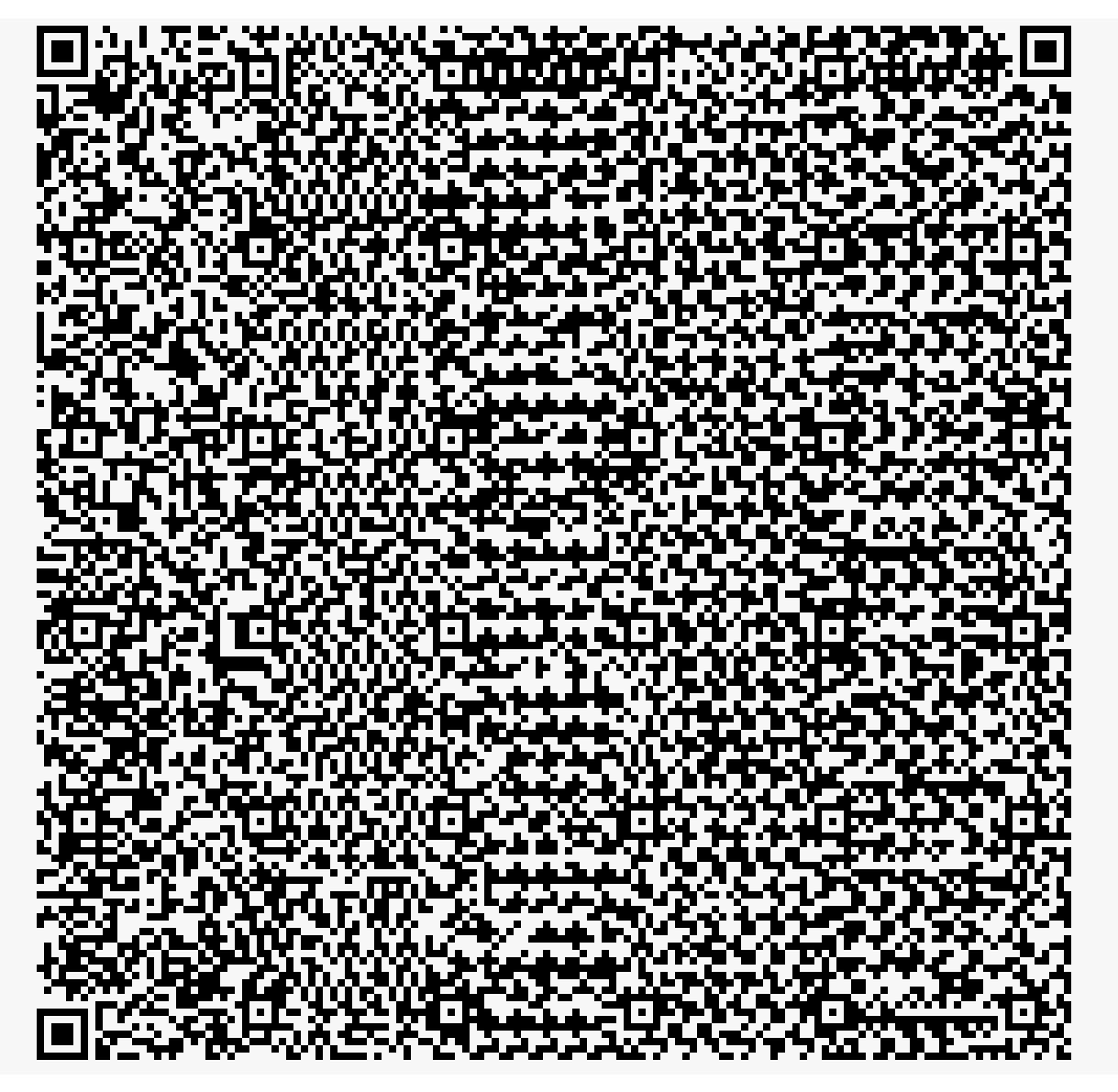
Thank you for sharing your drawing! Fun that you used the QR format. :)